
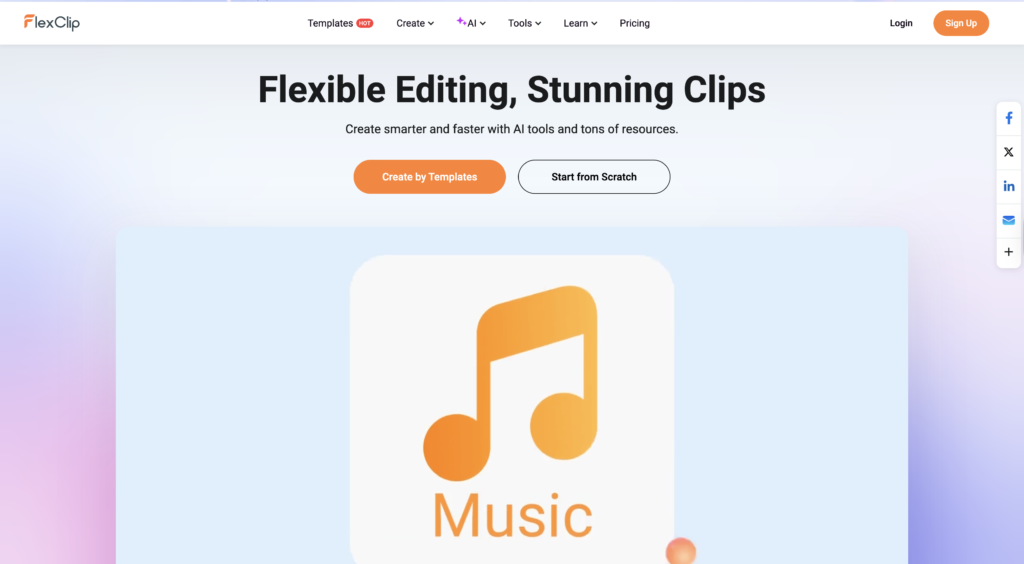
Video editing used to be hard. You needed expensive software, a powerful computer, and hours of training. But in 2026, AI has changed everything. If you are a student, a blogger, or a business owner looking to create professional videos in minutes, you have probably heard of FlexClip.
In this detailed FlexClip Review, I will break down everything you need to know about this cloud-based video editor. I have personally tested its Business Plan features, including the new AI tools, to see if it really lives up to the hype.
Is it just a Canva clone, or is it a powerful standalone tool? Let’s dive in.
What is FlexClip?
To start this FlexClip review, let’s define what the tool actually is. FlexClip is a browser-based video maker that allows anyone to create professional-quality videos without downloading heavy software.
Think of it as the “Canva for Video.” It uses a drag-and-drop interface that is incredibly intuitive for beginners. Whether you need a promo video for your business, a presentation for your university project, or a faceless YouTube video, FlexClip claims to do it all.
But the real reason FlexClip is trending right now is its integration of Generative AI. It’s no longer just an editor; it’s a content creator.
Related: If you are looking for more tools to help with your studies, check out my guide on Best AI Tools for Creative Student Projects.
Key Features We Tested
During my testing for this FlexClip review, I focused on the features that matter most to content creators and students. Here is what stood out:
1. Massive Stock Library
One of the biggest headaches in video editing is finding copyright-free assets. FlexClip integrates with royalty-free libraries offering millions of high-quality photos, videos, and music tracks. This is a huge plus for Galyxai readers who want safe assets for their projects.
2. Drag-and-Drop Interface
You don’t need to know what a “timeline” or “keyframe” is to use FlexClip. The storyboard mode makes editing as easy as making a PowerPoint slide.
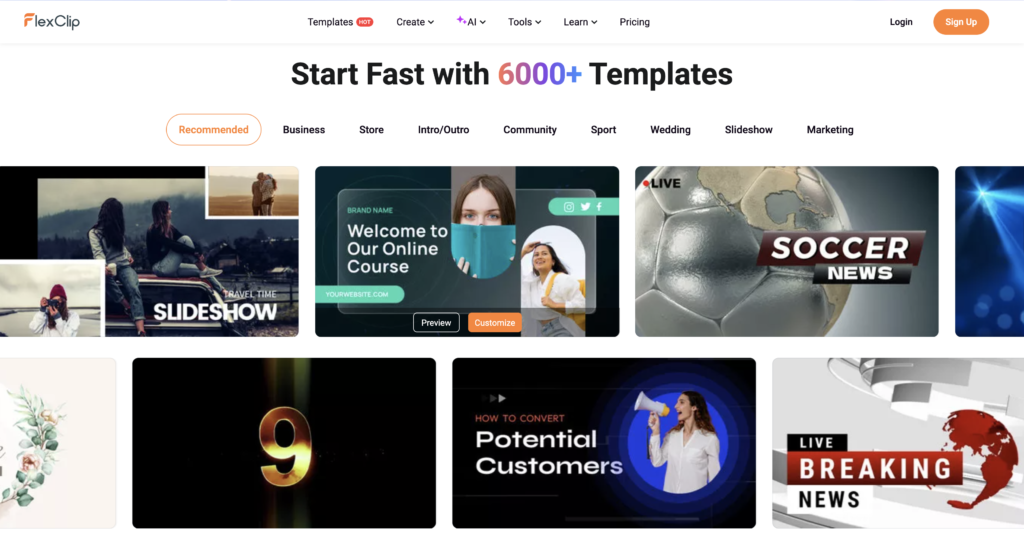
3. Templates for Everything
From Instagram Reels to Corporate Slide Decks, there are thousands of professionally designed templates. You just pick one, change the text, and hit export.
FlexClip AI Tools: A Game Changer?
This is the most important part of our FlexClip review. The platform has recently launched a suite of AI tools designed to automate the boring parts of editing.
AI Text-to-Video
I pasted a script from one of my blog posts into FlexClip, and within seconds, it generated a complete video. It automatically selected relevant stock footage and placed the text on the screen. For students making assignments or YouTubers running faceless channels, this feature is a lifesaver.
AI Auto Subtitles
Manually typing subtitles takes hours. FlexClip’s AI Auto Subtitle feature listens to your video audio and generates accurate captions in over 140 languages. I tested it with English and Urdu accents, and the accuracy was surprisingly high.
AI Image Generator & Background Remover
Why pay for Midjourney when you can generate images right inside your editor? FlexClip allows you to create images from text prompts and remove backgrounds from photos with a single click.
Pros and Cons
No FlexClip review is complete without looking at the downsides. Here is my honest assessment after using the Business Plan.
The Pros (What I Liked)
- Extremely User-Friendly: Zero learning curve.
- Cloud-Based: Works on any laptop (even slower ones).
- Rich AI Features: Text-to-speech, video script generation, and more.
- Cost-Effective: Much cheaper than Adobe Premiere Pro.
- No Watermark: Even the free plan offers flexibility (though with limitations).
The Cons (What Could Be Better)
- Internet Dependent: Since it is browser-based, you need a stable internet connection.
- Video Length: Extremely long videos (like 1-hour documentaries) might lag slightly compared to desktop software.
Pricing: Is it Worth It?
FlexClip offers a Free Plan, which is great for testing the waters. However, serious creators will look at the paid options.
- Free Plan: Good for quick, short videos (480p downloads).
- Plus Plan: Great for hobbyists (1080p downloads, more stock storage).
- Business Plan: The ultimate package. It gives you 4K Ultra HD downloads, unlimited stock assets, and massive cloud storage.
Note: Prices often change, so check the official FlexClip Pricing Page for the latest deals.
For students and small business owners, the value provided in the Plus and Business plans outweighs the cost, especially considering you get unlimited stock footage (which alone costs $20/month on other sites).
FlexClip vs. The Competition
How does a FlexClip review compare to giants like Canva or Premiere Pro?
- Vs. Adobe Premiere Pro: Premiere is for Hollywood-level editing but is very hard to learn. FlexClip is for everyone else who wants speed and ease.
- Vs. Canva: While Canva is great for graphics, FlexClip is specifically built for video. Its timeline features, transitions, and audio capabilities are far superior to Canva’s video editor.
Final Verdict
After extensive testing for this FlexClip review, my conclusion is simple: FlexClip is currently one of the best AI-powered video editors for beginners and marketers in 2026.
It eliminates the technical barriers of video creation. If you want to start a YouTube channel, create ads for your business, or submit a high-quality video assignment without spending weeks learning software, FlexClip is the tool for you.
Rating: 4.8/5 ⭐
Ready to create your first video? Try FlexClip for Free Here
If you enjoyed reading this blog and want more daily AI tips and productivity hacks, follow me on Instagram @galyxai and X (Twitter). I regularly share practical strategies to help students and young professionals save time and get more done every day.