Students in 2025 are expected to create more interactive, creative, and high-impact projects than ever before. Whether it’s for presentations, digital storytelling, engineering prototypes, science fairs, or multimedia assignments—AI has become the secret weapon behind faster research, better creativity, and more polished final results.
That’s why understanding the best AI tools for creative student projects is no longer optional; it’s a competitive advantage.
From idea generation and project planning to design, writing, and multimedia creation, the rise of AI tools for students has completely transformed the way academic projects are done. If you’ve ever wished assignments looked more impressive, took less time, or felt easier to complete, you’re in the right place.
This guide will break down the top 10 AI tools for students in 2025, explain where each tool helps the most, and share real examples of how to build outstanding academic work.
What Makes an AI Tool Good for Creative Student Projects?
When choosing the best AI tools for creative student projects, it’s important to focus on more than just flashy features. Students need platforms that combine efficiency, creativity, and reliability. The right tools help with brainstorming creative project ideas using AI, organizing research, generating visuals, and polishing content while saving valuable time.
They also enhance collaboration for group assignments and support smooth workflow management, making them essential AI productivity tools and student project tools. Moreover, ethical use is crucial; students must ensure that AI-assisted work is original, cited properly, and aligns with academic integrity standards.
For a deeper understanding of responsible AI usage in academics, check out Ethics of AI in Student Life. By integrating the right AI apps into study routines, students not only improve project quality but also develop skills that make them more efficient and innovative learners.

Not every AI app is made for students—or for creativity. The best tools share these qualities:
1. Idea Expansion & Brainstorming
Students often get stuck in the “what should I make?” stage. AI tools that generate creative project ideas using AI help break the block instantly.
2. Visual & Multimedia Creation
Modern professors expect polished visuals, videos, concept art, and diagrams. Good tools offer strong visual-generation features.
3. Writing & Content Organization
Whether it’s a research project, literature assignment, or technical paper, powerful AI productivity tools help edit, structure, and improve writing.
4. Easy Collaboration
Students often work in groups. The best AI tools support teamwork, comments, and real-time editing.
5. Reliable and plagiarism-free output
Tools must provide safe, unique content and support plagiarism checks—something many students now verify using platforms like your guide on AI plagiarism checkers for students.
Top 10 AI Tools Every Student Should Use for Creative Projects
In 2025, the best AI tools for creative student projects are transforming how students work, study, and innovate. From AI tools for students that boost productivity to creative project ideas using AI for presentations, visuals, and multimedia assignments, these platforms make learning faster and more engaging. With the help of AI productivity tools, student project tools, and best AI apps for students, even complex assignments become easier to manage and more impressive. For a deeper guide on organizing your workflow efficiently, you can check out AI-powered learning plan for students.
1. ChatGPT – Best for Idea Generation & Research Support
When students begin a new assignment, the hardest part is figuring out what to create. That’s why ChatGPT remains the most powerful tool for brainstorming creative project ideas using AI.
ChatGPT is a must-have student project tool for brainstorming and generating innovative ideas. Students can quickly explore creative project ideas using AI, from story outlines to research topics.
Why It’s Useful for Creative Student Projects
- Generates unique project ideas instantly
- Converts basic concepts into full outlines
- Helps choose themes, topics, and angles
- Supports essay writing, research summaries, coding, and storytelling
- Provides explanations at any student level
Real Example
A student working on a “Sustainable Cities” project can ask ChatGPT to:
- generate innovative solution ideas
- design presentation scripts
- outline research steps
- create content for slides
Within minutes, the project becomes structured and ready to build.
If you want to combine ChatGPT with advanced learning workflows, see detailed guide on building smarter plans:
➡ AI-powered learning plans for students.
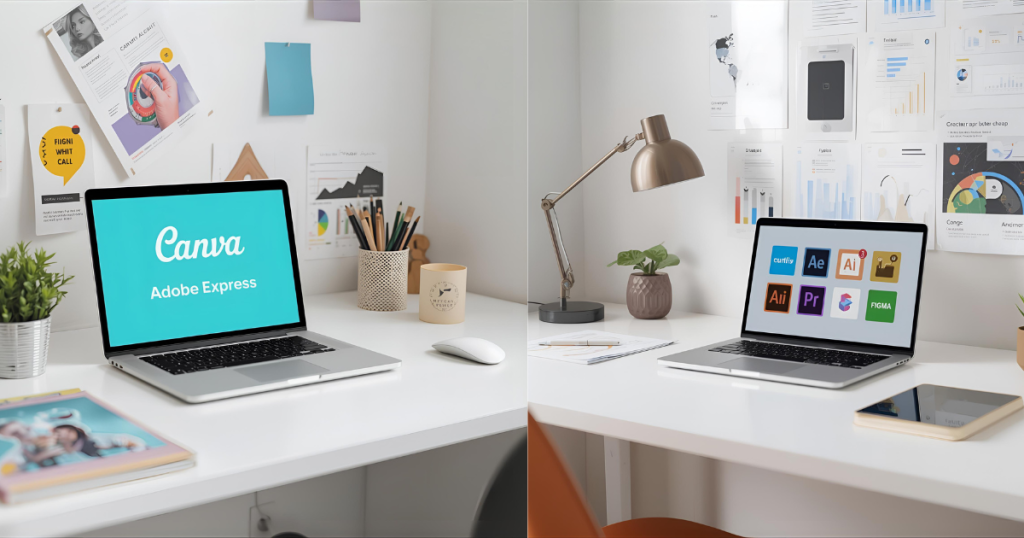
2. Canva AI – Best for Creative Visuals, Posters, Videos & Presentations
Most academic projects demand beautiful slides, posters, infographics, animations, and videos. Canva AI is the best AI tool for creative student projects when it comes to visual creation.
Canva AI is one of the top best AI apps for students, perfect for designing posters, presentations, and infographics. With its intuitive AI templates, students can transform concepts into stunning visuals while saving hours of manual design work. Pairing it with AI note-taking tools for students can make project preparation faster and more organized.
Key Features
- AI presentation generator
- Magic Media for AI photos, video, and animation
- Smart templates for assignments
- Group collaboration
- AI video editing and captions
Where Students Use It
- Class presentations
- Portfolio assignments
- Short explainer videos
- Science fair posters
- Marketing & design projects
Students who struggle with organizing notes before making visuals can pair Canva with tools from your guide on AI note-taking tools for students.
3. Notion AI – Best for Project Planning & Group Collaboration
If your project involves teamwork, research, timelines, or multiple files, Notion AI is a life-saver.
Notion AI helps students stay on top of tasks, organize resources, and plan collaborative assignments. This makes it an essential part of AI productivity tools that streamline project management and workflow.
Why Students Love It
- Generates full project plans
- Summarizes notes
- Creates structured documentation
- Organizes tasks, workflows, and deadlines
- Perfect for group coordination
Example Use Case
For a multimedia assignment, Notion AI can help build:
- a project roadmap
- content drafts
- task breakdown
- final submission checklist
When combined with tools mentioned in your study efficiency guide (AI study assistant for students 2025), Notion becomes even more powerful for academic success.
4. DALL·E 4 – Best for Creative Artwork & Concept Designs
Many creative projects require visual imagination—book cover designs, 3D concepts, character illustrations, or historical recreations. DALL·E 4 is made exactly for that.
DALL·E allows students to generate unique images, diagrams, and illustrations for projects, making it a must-have for creative project ideas using AI. When producing AI-assisted visuals, it’s important to maintain originality, and pairing this with AI plagiarism checker for students ensures content integrity.
How Students Use It
- Art projects
- Architecture concepts
- Characters for storytelling
- Posters & banners
- Historical scene recreations
Why It Stands Out
- Photorealistic images
- Customizable styles
- Great for presentations and visual storytelling
You can pair DALL·E visuals with structured content created using tips from your article on AI tools to avoid student burnout—helping students finish creative projects faster without stress.
5. Grammarly & Quillbot – Best for Editing, Rewriting & Polishing Content
Every project needs perfect writing—no grammar mistakes, no awkward sentences, and no plagiarism.
Grammarly and Quillbot help students refine their writing, ensuring clarity, grammar accuracy, and tone. They are top AI tools for students who want polished essays, reports, or project submissions.
What They Do Best
- Grammar correction
- Tone improvement
- Paraphrasing
- Sentence restructuring
- Citation formatting
Why It Matters for Creative Projects
Professors now expect clean, readable writing. AI editing tools help students polish content to professional-level quality.
6. ElevenLabs AI – Best for Voiceovers & Audio Projects
If your project involves narration, podcasts, storytelling, or explainer videos, AI-generated voice can make it truly stand out.
ElevenLabs allows students to create professional-sounding voiceovers for podcasts, presentations, or storytelling projects. As part of the best AI tools for creative student projects, it enhances multimedia assignments with minimal effort, making audio-based projects more engaging.
What Makes It Useful
- Generate natural-sounding voiceovers
- Multiple languages
- Professional-grade sound quality
- Perfect for YouTube-style student projects
Example
Students making a history presentation can generate:
- documentary-style narration
- character voice-overs
- audio summaries
7. FlexClip – Best for Video Creation & AI Editing
Video assignments are becoming standard in schools, but professional editing software can be hard to learn. FlexClip is the game-changer here.
It is a powerful, browser-based video maker that feels as easy as Canva but for video. With advanced AI video generation features, students can turn text into video, generate subtitles automatically, and use thousands of stock assets to create A-grade video essays, explainer videos, and presentations.
Why It’s Great
- AI Text-to-Video: Turn your essay or script into a video instantly.
- Auto Subtitles: Automatically generates captions (great for accessibility).
- Drag-and-Drop Interface: No technical skills required.
- Rich Stock Library: Access to millions of royalty-free clips and images.
Use Case
A student can write a script for a history project, plug it into FlexClip’s AI video generator, and get a fully edited video with voiceover and visuals in minutes.
8. Miro AI – Best for Creative Mapping, Brainstorming & Diagram Making
Miro AI supports students who work visually—especially in subjects like business, design, engineering, and psychology.
Miro AI supports interactive brainstorming and visualization, allowing teams to map ideas effectively. It is one of the most useful AI productivity tools for collaborative project planning. Students can outline workflows, timelines, and creative structures before diving into production.
Features
- AI-generated mind maps
- Concept diagrams
- Flowcharts
- Brainstorming spaces
Real Student Application
If you’re building a group project on consumer behavior, Miro AI can generate a full mind map of behavioral drivers in seconds.
9. Genially – Best for Interactive Creative Projects
Genially helps students build gamified, interactive, clickable projects that teachers love.
Genially enables students to create interactive presentations, infographics, and gamified projects. As part of the best AI apps for students, it makes academic work more engaging and visually appealing. This tool pairs well with Notion AI or Miro for planning and design.
Best Uses
- Interactive portfolios
- Digital storytelling
- Escape-room style learning projects
- Interactive infographics
It’s one of the best AI apps for students who want to make projects truly memorable.
10. Google Gemini – Best for Multi-Format Student Project Tools
Gemini allows students to work across text, images, code, and data—making it ideal for technical and research-heavy assignments.
Google Gemini is an all-in-one AI platform for research, coding, writing, and visual generation. It’s perfect for students looking for comprehensive student project tools that cover multiple needs in one platform.
Capabilities
- AI research assistant
- Data interpretation
- Coding help
- Report structuring
- Image analysis
With multi-modal features, Gemini becomes one of the essential student project tools in 2025.

Pros & Cons Summary Table
| Tool | Pros | Cons |
|---|---|---|
| ChatGPT | Great for ideas, writing & explanations | Requires clear prompts |
| Canva AI | Best visuals & presentations | Some templates require Pro |
| Notion AI | Strong planning & collaboration | Learning curve |
| DALL·E | High-quality visuals | May need revisions |
| Grammarly/Quillbot | Best writing polish | Limited creativity |
| ElevenLabs | Amazing voices | Free version is limited |
| FlexClip | Easy AI text-to-video & auto subtitles | Export limits on free plan |
| Miro | Great for brainstorming | Not ideal for long documents |
| Genially | Highly interactive content | Limited free features |
| Gemini | Multi-format | Works best online |
FAQs
1. What are the best AI tools for creative student projects in 2025?
ChatGPT, FlexClip, Notion AI, DALL·E, and Canva AI rank top for visuals, writing, video creation, and planning.
2. Can students use AI tools for school assignments legally?
Yes—AI use is allowed as long as students cite sources and maintain originality. You can also use plagiarism checkers to verify uniqueness.
3. Which AI tool is best for video assignments?
FlexClip is the best tool for students. It offers AI text-to-video, automatic subtitles, and a drag-and-drop interface that makes creating professional videos easy without complex software
4. Which AI tool is best for visual creation?
Canva AI and DALL·E are the strongest tools for posters, slides, illustrations, and creative graphics.
Conclusion
AI is now one of the biggest advantages students can use for both creativity and productivity. Whether you want better visuals, faster research, cleaner writing, or unique storytelling, the best AI tools for creative student projects help you finish assignments faster—and make them look more professional than ever.
Use these tools together, mix their strengths, and watch how your academic performance skyrockets in 2025.
If you enjoyed reading this blog and want more daily AI tips and productivity hacks, follow me on Instagram @galyxai and X (Twitter). I regularly share practical strategies to help students and young professionals save time and get more done every day.