
If you’ve ever spent hours debugging a tiny error or struggling to grasp a new coding concept, you’re not alone. Learning to code can be frustrating — but thanks to AI tools for learning programming, things are changing fast.
AI is no longer just for advanced developers; today’s AI coding assistants and AI code tutors are helping beginners learn programming with AI at record speed. Whether you’re a student aiming to build projects or a young professional upgrading skills, these tools make coding more interactive, personalized, and fun.
In this blog, you’ll discover 7 of the best AI tools for learning programming faster, their benefits, drawbacks, and how to use them wisely — all while staying productive and ethical.
🚀 How AI Is Revolutionizing Programming Education
Just like AI has reshaped how we study, it’s also redefining how students approach coding. In my earlier post on AI Study Routine, I explained how integrating smart tools into your study habits can double your learning efficiency. The same principle applies here: AI tools for learning programming act like 24/7 coding mentors that never tire.

From Tutorials to Smart Assistance
Traditional learning meant reading thick tutorials, watching long videos, and practicing syntax drills. Now, AI coding assistants like Copilot or Tabnine instantly show what your next line of code could be — and explain why.
According to research shared in my article on AI in the Future of Education, interactive AI systems can personalize learning paths based on your mistakes, speed, and preferences — something static tutorials could never do.
Real-Time Feedback & Personalization
AI tools don’t just “generate” code; they act like intelligent mentors. Whether you’re working on a web project or debugging a function, these programming learning tools provide context-aware feedback, helping you grasp logic instead of memorizing syntax.
💡 7 Best AI Tools for Learning Programming Faster in 2025
Let’s explore some of the best AI tools for learning programming that students and new developers can use right now.
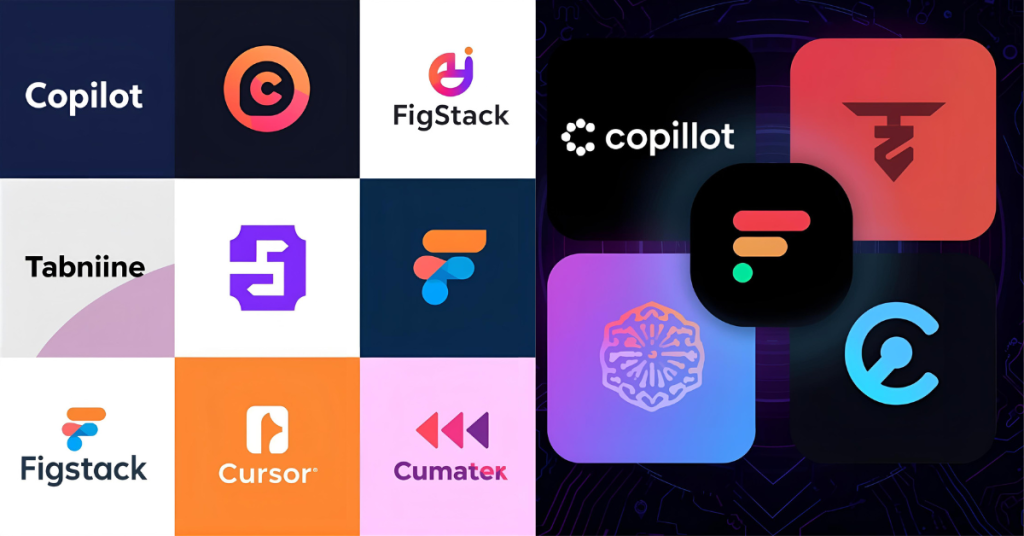
1. GitHub Copilot – The Ultimate AI Coding Assistant
GitHub Copilot uses OpenAI’s Codex model to turn your comments into working code. You write a comment like# create a function to reverse a string, and Copilot instantly completes it.
Why it’s great:
- Learns your coding style
- Reduces repetitive typing
- Works with Python, JavaScript, C++, and more
Best for: beginners and intermediate learners who want to learn programming with AI through practical examples.
Tip: Always review its suggestions to understand why the code works — don’t just copy-paste.
2. Tabnine – Personalized AI Code Tutor
If Copilot is your co-pilot, Tabnine is your private AI code tutor. It learns from your existing code patterns and gives context-aware predictions that suit your style.
Highlights:
- Works offline with your own models
- Suggests syntax corrections
- Great for solo learners or students working on personal projects
Tabnine is especially effective when combined with a structured workflow like the one in AI Study Routine, where you divide time between learning concepts and practicing with feedback.
3. Figstack – Explains Code Like a Human Teacher
Have you ever copied code from Stack Overflow and didn’t know how it works? Figstack solves that. It reads code in any language and explains it in plain English.
Example: Paste a piece of code, and Figstack tells you exactly what each function does.
Why students love it:
- Ideal for non-native English speakers
- Simplifies complex syntax
- Helps you truly learn programming with AI, not just code faster
For students who enjoy fun learning experiences, check out Fun AI Websites for Students — Figstack fits that vibe perfectly.
4. Qodo AI – Smart Agents for Real-World Coding
Qodo AI is a newer AI coding assistant with three agents:
- Gen for generating code
- Merge for reviewing pull requests
- Cover for testing coverage
It mimics professional workflows, making it perfect for students who want real-world exposure.
Pair Qodo with team-based tasks like those mentioned in AI for Group Projects — it improves collaboration and productivity when multiple people are coding together.
5. Cursor – The AI-Powered Coding Environment
Cursor turns coding into an interactive conversation. You prompt what you want, and it writes entire functions or apps.
Example Prompt: “Build a to-do list app using HTML, CSS, and JavaScript.”
It then generates files, logic, and structure — all editable in real time.
Why it stands out:
- Great for fast prototyping
- Integrates debugging tools like Bugbot
- Perfect for students building portfolio projects
Use Cursor when you’re confident with fundamentals but want to build projects faster using AI for students coding workflows.
6. Replit Ghostwriter – Your AI Partner in the Cloud
Replit Ghostwriter is like a built-in AI code tutor that lives in your browser. It lets you code, test, and deploy instantly.
Features:
- Autocompletes code intelligently
- Offers in-line explanations
- Detects bugs and logic errors
Why it’s ideal for students:
Replit allows collaboration in real time — ideal for class projects or online hackathons.
Combine Ghostwriter with techniques from my blog on AI Cheating in Education to learn how to use AI ethically — boosting productivity without crossing academic lines.
7. ChatGPT & Claude – Conversational AI Code Tutors
Sometimes, you just want to ask, “Why is this loop not working?” That’s where ChatGPT and Claude shine. They act as AI code tutors that explain logic step-by-step and even debug errors interactively.
Example Use:
“Explain why my Python list comprehension isn’t returning expected output.”
They’ll analyze the code, show errors, and suggest improvements.
Best for: absolute beginners who need human-like explanations.
Pro Tip: Pair these chatbots with a personalized AI-enhanced study schedule — like the ones covered in AI Study Routine — to get consistent learning results.
⚖️ Benefits and Drawbacks of Using AI Tools for Programming
✅ Benefits
- Instant feedback: Fix errors in seconds instead of hours.
- Personalized learning: AI tools track your style and pace.
- Boosts motivation: Immediate success keeps you engaged.
- Real-world relevance: Tools like Qodo and Replit simulate team environments.
- Encourages curiosity: You can ask why, not just how, like a true learner.
❌ Drawbacks
- Overreliance risk: You might skip learning core logic.
- Possible code errors: AI-generated code isn’t always correct.
- Ethical concerns: As I discussed in AI Cheating in Education, using AI irresponsibly can harm your learning integrity.
- Cost barriers: Some tools limit free features.
🧩 How to Learn Programming with AI the Right Way
Learning programming with AI doesn’t mean letting it do everything for you. It means learning with it.

Follow the “Prompt – Review – Reflect” Method
- Prompt: Clearly tell the AI what you need.
- Review: Read the AI’s code and test it.
- Reflect: Ask why it works and how you’d write it differently.
This approach mirrors what I explained in my AI Study Routine — active reflection ensures long-term memory retention.
Combine AI with Traditional Study
Books, YouTube, and coding communities still matter. Use AI coding assistants to speed up practice, but keep solving problems manually to build logic.
Join Group Learning Projects
Collaborate with peers using tools like Replit or GitHub Classroom. For group-based success, see my post on AI for Group Projects. AI boosts team output when used ethically and strategically.
🧮 Comparison: Which AI Tool Should You Choose?
| Use Case | Best Tool | Why It Fits |
|---|---|---|
| Learning syntax & logic | GitHub Copilot | Suggests and explains clean code |
| Building projects | Cursor / Replit | Fast prototyping & testing |
| Understanding code | Figstack / ChatGPT | Explains logic clearly |
| Practicing with teams | Qodo AI | Simulates real dev workflows |
| Personalized tutoring | Tabnine / Claude | Adapts to your style |
❓ FAQs
1. Are AI tools for learning programming ethical for students?
Yes — as long as you use them responsibly. AI tools are study aids, not shortcuts. Read my blog on AI Cheating in Education to understand the ethical boundaries.
2. Which is the best AI coding assistant for beginners?
Start with GitHub Copilot or Replit Ghostwriter. They’re simple, interactive, and ideal for students new to coding.
3. Can AI really help me learn faster?
Absolutely. As discussed in AI in the Future of Education, adaptive AI tutors personalize feedback, saving hours of trial and error.
4. Is it free to use AI programming tools?
Many offer free versions. Premium tiers (like Copilot Pro or Cursor Plus) add collaboration and advanced debugging.
5. What’s the best strategy to learn programming with AI?
Mix AI practice with manual problem-solving. Use AI code tutors for guidance, but challenge yourself to write independent solutions.
🏁 Conclusion
AI is not replacing programmers — it’s empowering learners. With the right AI tools for learning programming, you can build real projects, understand concepts deeply, and code with confidence. Use these tools like mentors, not crutches. Stay curious, experiment, and learn responsibly — because the fastest coder isn’t the one who types fastest, but the one who learns how to think like a programmer with AI.
If you enjoyed reading this blog and want more daily AI tips and productivity hacks, follow me on Instagram @galyxai and X (Twitter). I regularly share practical strategies to help students and young professionals save time and get more done every day.